





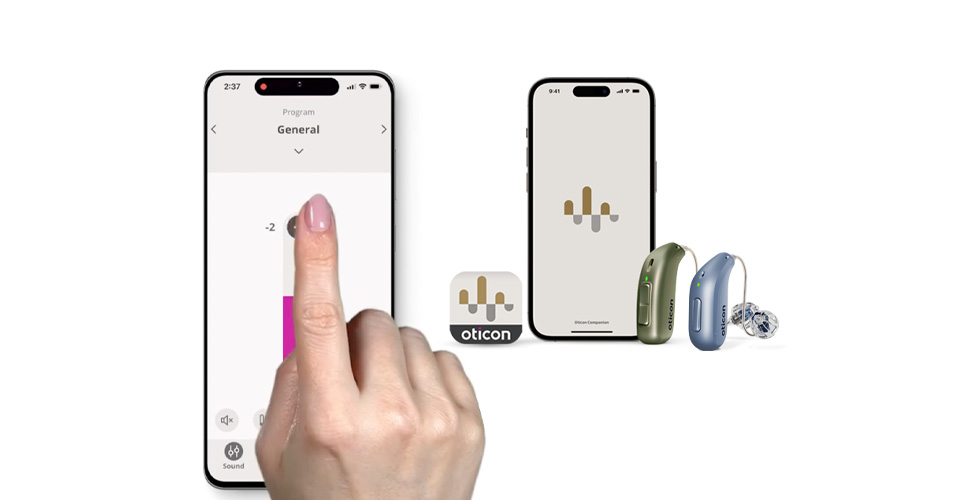
The Oticon Companion App is a powerful tool that allows you to be fully in control of your hearing, no matter where life takes you.
How to use the Oticon Companion app
Helpful how-to videos show you how to use some of its features.
How to pair hearing aids to your iPhone®
This video shows step by step directions for pairing your iPhone® and Oticon hearing aids.
1. Open iPhone settings, tap accessibility and tap hearing devices.
2. Restart your hearing aids
3. When they appear on your iPhone after rebooting, tap on them and then tap "pair"
4. You can customize the settings for your devices.
5. Audio routing is the setting for whether your phone calls and other phone sounds route directly to your hearing aids (or not).
6. Next, go to the Oticon Companion app and "pair now" and follow the steps. From here you can change volume, programs, see your battery level and more.
How to pair hearing aids to your Android™ phone
This video shows the process of how to pair your Oticon hearing aids with an Android phone using the Companion App.
Steps to connect your hearing aids to an Android phone:
1. Open the Oticon Companion App on your phone
2. Restart your hearing aids
3. Make sure your hearing aids and phone are close together
4. Begin pairing in the app
5. Tap Continue once this is complete
6. Enjoy Bluetooth® and the Oticon Companion App!
How to adjust volume and mute your hearing aids
Control your hearing aids on your favorite device. Slide or tap your phone or Apple Watch® to adjust volume, change programs, connect to accessories and more. No need to touch your hearing aids!
How to adjust the sound equalizer
Personalize your experience.§ Whether you’re at home or at a concert, eating out or going for a walk, custom adjustments can give you the exact experience you prefer. Fine-tune settings like your microphone sound and the app will remember them for next time.
How to adjust the streaming equalizer
Personalize your listening experience when streaming music, podcasts and videos from your phone with the streaming equalizer.
How to change programs
Easily change hearing aid programs. If your hearing care professional has created multiple programs for you, such as a Telecoil program or one for listening to music, you can easily switch between programs using the app.
How to turn on the SpeechBooster
Support for challenging environments. The Oticon Companion app also gives you quick access to features that help with hearing in challenging environments, such as restaurants or with groups.
SpeechBooster will amplify speech sounds in noisy environments or when a certain person’s voice is hard to hear.
How to turn on the remote microphone
Remote microphone feature lets you use your phone microphone as a remote mic that sends sounds to your hearing aids. Pass your phone around when a group is talking or ask a presenter to speak into it for easier listening.
How to use the HearingFitness™ feature
Support good habits.§ Build good habits and your confidence by tracking how long you wear your hearing devices each day. The HearingFitness™ feature helps you set goals and share your progress with your hearing care professional.
How to find my hearing aids
Find your hearing aids if they get lost. Many hearing aid wearers worry that they’ll lose a hearing aid – especially when they are out and about living life! The Oticon Companion app can help you find them if you do misplace one.
How to get support and help in the app
Get step-by-step directions in the app when you need it – automatic updates and notifications for important news to keep your devices running smoothly.
More information available here: https://www.oticon.com/support/wireless-listening/oticon-companion-app
Download now:


Did you know we have hearing care professionals available after hours to help?
If you’re having trouble with the Oticon Companion app, give us a call!
§Only available for Oticon Real™ and Oticon Intent™ devices.